

Download GameSalad – Drag‑and‑Drop App Builder for iOS, Android, Web & Desktop
Overview
GameSalad is a visual development platform that lets anyone create interactive applications and games for the web, iPhone, iPad, Android, and desktop without writing a single line of code. Its intuitive WYSIWYG (What‑You‑See‑Is‑What‑You‑Get) editor works in real‑time, so you can drag and drop assets, set behaviours, and instantly preview the result on the target device. The tool is especially attractive for educators, hobbyists, and small studios that need a fast‑track solution for prototyping or publishing polished products.
A built‑in Getting Started guide walks newcomers through scene creation, physics, UI components, and publishing workflows, while more advanced users can tap into custom actions and external APIs. Because GameSalad compiles projects directly to native binaries, you avoid lengthy compile cycles—updates are delivered as lightweight patches, keeping the development loop tight and responsive. The platform also supports a cloud‑based sharing system, allowing you to publish a project to the GameSalad Player for instant testing on any supported device.
While the interface is streamlined, new users may initially feel the learning curve of locating the right behaviour blocks and managing multiple screen sizes. Overall, GameSalad provides a secure, free‑to‑try environment that balances simplicity with enough depth to build commercial‑grade games and utility apps.
Key Features & Compatibility
- Drag‑and‑drop visual editor with real‑time preview.
- Cross‑platform publishing to iOS, Android, HTML5, macOS, and Windows.
- Built‑in physics engine with separate drag and angular drag attributes.
- Multitouch support and 11‑touch handling for iPad‑only projects.
- Cloud‑based sharing via GameSalad Player for instant testing.
- Extensive asset library (sprites, sounds, UI components).
- Custom actions and JavaScript extensions for advanced functionality.
- Integrated monetisation tools (ads, in‑app purchases).
- Free tier with optional paid upgrades for publishing to app stores.
GameSalad runs on both Windows 10/11 and macOS 10.15 or later. The editor is a desktop application, while the generated games can be exported to iOS (iPhone & iPad), Android, Windows, macOS, and any modern web browser that supports HTML5. Minimum system requirements include a dual‑core CPU, 4 GB RAM, and a graphics card capable of OpenGL 2.0. For optimal performance during large projects, 8 GB RAM or more and an SSD are recommended.
Installation, Usage Guide & Pros / Cons
Step‑by‑Step Installation
- Visit the official GameSalad website and click the “Download Free” button.
- Select the installer for your operating system (Windows EXE or macOS DMG) and run the file.
- Follow the on‑screen prompts: accept the license agreement, choose an installation folder, and let the installer copy the necessary files.
- After installation, launch GameSalad. The first launch will prompt you to create a free account or sign in with an existing one.
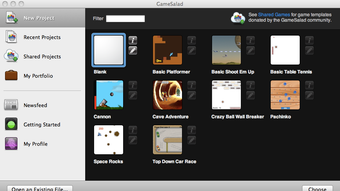
- Once logged in, the Getting Started wizard will appear. Choose a template (Game, App, or Empty Scene) and click “Create Project”.
Basic Workflow
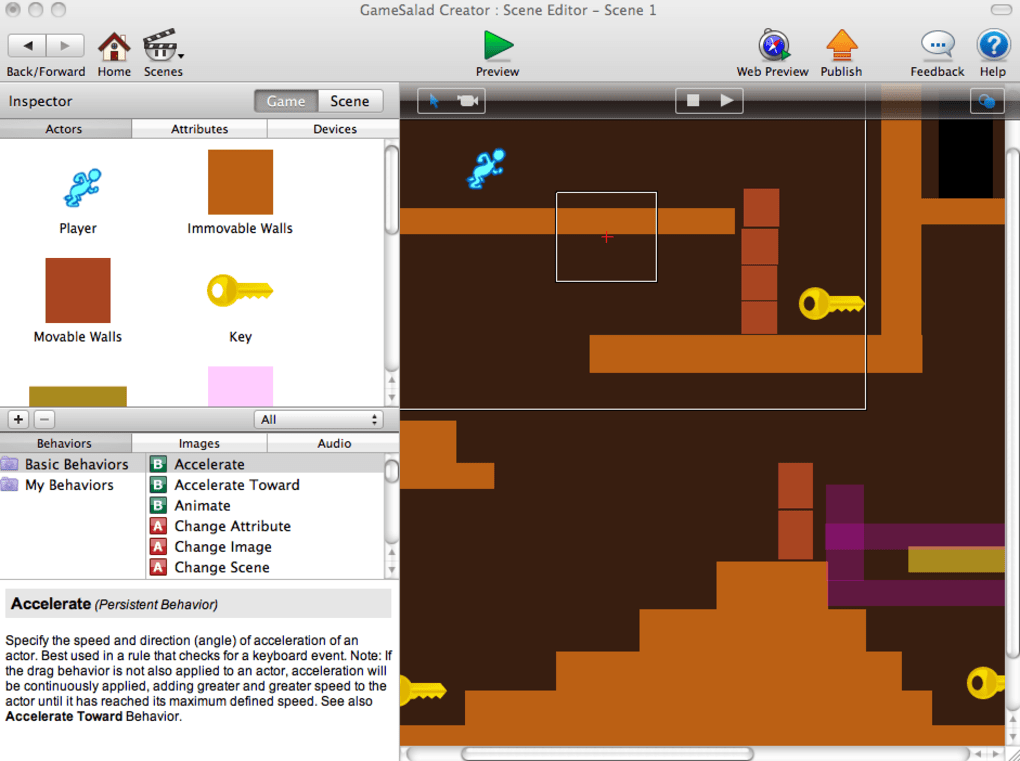
Inside the editor, the canvas represents your main scene. From the left‑hand panel you can import sprites, backgrounds, and sound files. Drag an asset onto the canvas, then attach behaviours from the Behaviour Library (e.g., “Move”, “Rotate”, “Physics”).
Each behaviour has adjustable parameters displayed in the Properties pane. To test your project, click the “Play” button; GameSalad will launch the GameSalad Player in a new window, simulating the target device. When you’re ready to publish, select “Export” and choose the desired platform.
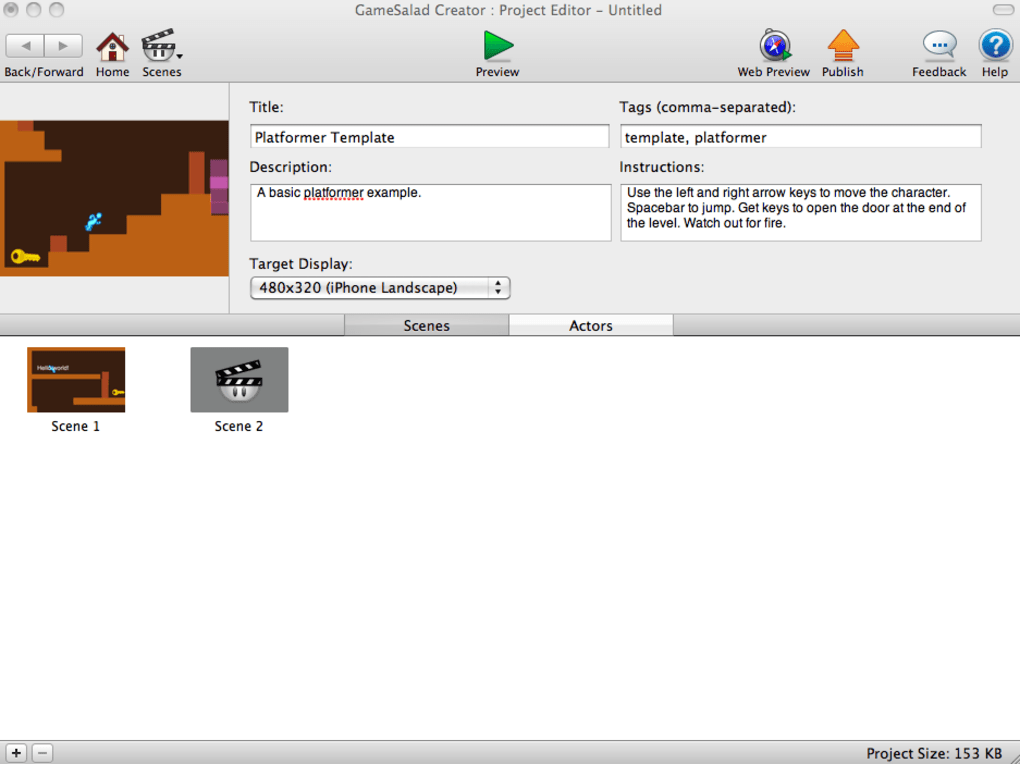
The export process packages your project into a native binary or HTML5 bundle, which you can upload to the App Store, Google Play, or your website.
Pros
- Zero‑code development makes it accessible for beginners.
- Real‑time preview eliminates long compile cycles.
- Cross‑platform export saves time and resources.
- Integrated physics and multitouch handling are powerful out of the box.
- Free tier allows you to experiment without upfront costs.
Cons
- Interface can feel cluttered when managing many behaviours.
- Limited fine‑grained control compared to full‑code engines.
- Export to iOS/macOS requires a macOS machine for signing.
- Advanced features (e.g., custom plugins) are locked behind paid plans.
- Documentation, while comprehensive, sometimes lags behind new updates.
GameSalad strikes a solid balance between ease of use and functional depth. Its drag‑and‑drop system empowers non‑programmers to bring ideas to life quickly, while the physics engine and multitouch support give projects a professional feel. The biggest drawback is the occasional UI overload, but for most hobbyists and educators the trade‑off is worthwhile.
Frequently Asked Questions & Conclusion
Is GameSalad really free to use?
GameSalad offers a free tier that lets you create and test projects, but publishing to app stores requires a paid subscription. The free version is ideal for learning and prototyping.
Can I export a GameSalad project to Android?
Yes. After designing your game, choose the Android export option. The platform generates an APK that can be uploaded to Google Play or sideloaded onto devices.
Do I need a Mac to publish iOS apps?
While you can design the project on Windows, the final iOS build requires Xcode on macOS for code signing and submission to the App Store.
How does GameSalad handle updates after publishing?
Updates are compiled into lightweight patches that replace only the changed assets and behaviours, making the update process fast for both developers and end‑users.
Is there a community or marketplace for assets?
GameSalad maintains an asset library and an active forum where creators share sprites, sounds, and templates. Some assets are free, while premium packs are available for purchase.
Conclusion & Call to Action
GameSalad delivers a secure, code‑free environment that empowers anyone—from teachers to indie developers—to craft polished games and apps for multiple platforms. Its real‑time editor, built‑in physics, and cross‑publish capabilities reduce development overhead and accelerate time‑to‑market. While power users may eventually outgrow the visual interface, the platform’s free tier provides an excellent sandbox for learning and rapid prototyping. Ready to turn your ideas into interactive experiences? Download GameSalad today and start building your first app without writing a single line of code.







